
In today’s digital age, having a website is not enough—you need visibility. Search engine optimization (SEO) is the secret weapon that transforms a basic website into a traffic magnet. For WordPress users, the right plugins can make or break your SEO efforts.
WordPress plugins SEO solutions are designed to simplify optimization, automate key processes, and provide actionable insights that boost rankings and increase organic traffic. Whether you’re a beginner or an experienced webmaster, leveraging these plugins can dramatically improve your website’s performance.
In this comprehensive guide, we’ll explore the best SEO plugins for WordPress, how to use them effectively, and advanced strategies to maximize your website’s search engine potential.
Why WordPress SEO Plugins Are Essential
WordPress is a robust platform, but it doesn’t automatically guarantee search engine success. Here’s why SEO plugins for WordPress are critical:
- Simplify Technical SEO – Many plugins handle complex tasks like XML sitemaps, schema markup, and canonical URLs.
- Content Optimization – Real-time feedback on keyword usage, meta descriptions, and readability ensures your content ranks higher.
- Performance Monitoring – Track rankings, site speed, and SEO errors without switching platforms.
- Link Management – Plugins manage internal linking, redirects, and broken links, improving site structure.
- Automation & Efficiency – Automate routine SEO tasks, allowing you to focus on content creation.
In short, WordPress SEO plugins are more than tools—they’re your digital marketing partners.
Top WordPress SEO Plugins to Boost Your Rankings
Yoast SEO
Overview: Yoast SEO is one of the most popular WordPress SEO plugins, trusted by millions of website owners. It provides a complete toolkit for on-page optimization.
Key Features:
- SEO analysis for keywords and content readability
- Meta title & description templates
- XML sitemap generation
- Schema markup integration
- Internal linking suggestions
Why It’s Effective: Yoast offers a balance of simplicity and depth. Beginners benefit from its traffic-light system, while advanced users can access in-depth optimization settings.
Rank Math
Overview: Rank Math has gained popularity as a lightweight, feature-rich SEO plugin for WordPress.
Key Features:
- AI-powered content analysis
- Multiple focus keywords per post
- Rich snippet support
- SEO audit tool with actionable insights
- Integration with Google Search Console
Advantages: Rank Math is ideal for users seeking an all-in-one solution that minimizes plugin clutter while offering advanced SEO functionality.
All in One SEO (AIOSEO)
Overview: AIOSEO is a veteran plugin that caters to both beginners and professionals. Its intuitive interface simplifies SEO management.
Key Features:
- SEO for local businesses and eCommerce
- Smart XML sitemap generator
- Robots.txt editor
- Social media integration
- Advanced WooCommerce SEO support
Why Choose AIOSEO: Its versatility makes it perfect for diverse websites, including online stores, blogs, and corporate sites.
SEOPress
Overview: SEOPress is a lightweight plugin with a focus on speed and simplicity.
Key Features:
- Google Knowledge Graph integration
- XML and HTML sitemaps
- Content analysis and optimization
- 301 redirects management
- White-label capabilities for agencies
Why It Stands Out: SEOPress provides professional-grade SEO tools at an affordable price, making it an excellent choice for freelancers and agencies.
The SEO Framework
Overview: The SEO Framework is known for its automation and minimalistic design.
Key Features:
- Preconfigured SEO settings
- Structured data support
- Automatic canonical URLs
- Lightweight for fast loading
- AI-assisted SEO suggestions
Benefits: Ideal for users who want a set-it-and-forget-it SEO solution without sacrificing performance.
How SEO Plugins Can Improve Your WordPress Site’s Search Ranking
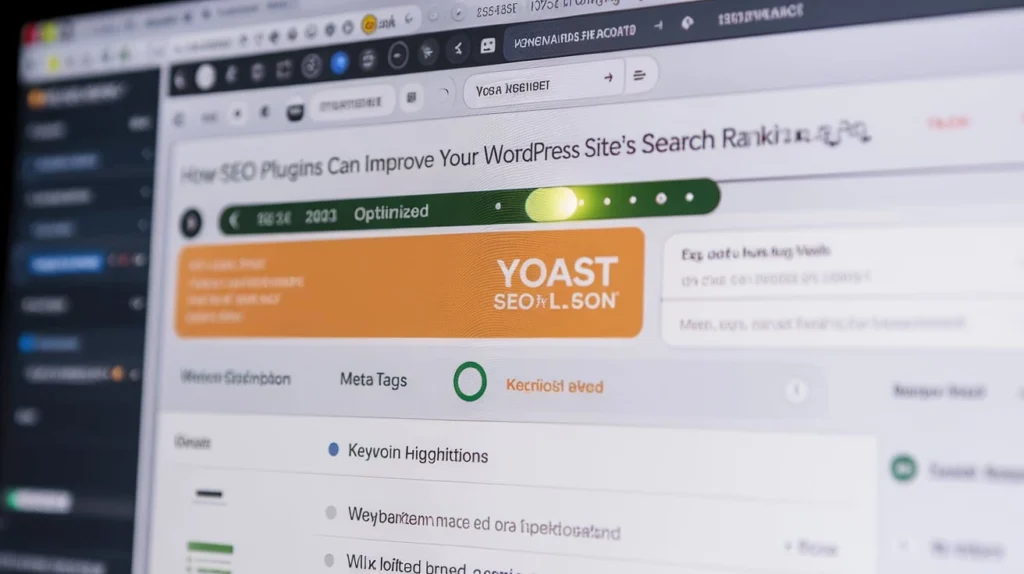
SEO plugins act like an assistant that constantly monitors your website’s content and structure. They analyze posts, pages, and media to ensure they follow SEO best practices. Features include:
- Keyword Optimization: Suggests target keywords, helps place them in titles, headings, and meta descriptions.
- Readability Analysis: Checks sentence structure, paragraph length, and use of transition words to improve user engagement.
- Schema Markup: Adds structured data automatically so search engines understand your content better, enhancing rich snippets.
- Internal Linking Suggestions: Encourages linking to related posts, which improves crawlability and reduces bounce rate.
By using these tools consistently, you make your site easier for search engines to understand, boosting your rankings.
Top WordPress SEO Plugins and Their Unique Features
Not all SEO plugins are the same. Here’s a breakdown of the top choices:
- Yoast SEO: Offers a user-friendly interface, real-time content analysis, and automatic XML sitemap generation.
- Rank Math: Known for its lightweight design and advanced features like 404 monitoring, keyword suggestions, and local SEO tools.
- All in One SEO (AIOSEO): Focuses on simplicity for beginners while providing robust tools for e-commerce and social media integration.
- SEOPress: Affordable alternative with detailed analytics, white-label options, and schema markup capabilities.
Highlighting these differences helps users choose the best plugin for their specific needs and website type.
How to Configure WordPress SEO Plugins for Maximum Impact
Installing a plugin is only the first step; proper configuration is key:
- Connect to Google Search Console: Ensures your site is indexed and monitored by Google.
- Set Up XML Sitemaps: Automatically generates sitemaps so search engines can crawl all pages.
- Optimize Metadata: Fill in meta titles and descriptions for all posts and pages to increase CTR in search results.
- Enable Breadcrumbs: Helps users navigate and search engines understand your site’s hierarchy.
- Social Media Metadata: Automatically adds Open Graph and Twitter Card tags to improve sharing previews.
Proper configuration ensures your plugin works at full potential and avoids common pitfalls.
Common SEO Mistakes to Avoid When Using WordPress Plugins
Even with the best plugins, mistakes can reduce SEO effectiveness:
- Keyword Stuffing: Overusing keywords harms readability and can trigger penalties.
- Ignoring Mobile Optimization: Many users browse on mobile; plugins can help ensure responsive layouts.
- Poor Internal Linking: Plugins can suggest links but users need to implement them wisely.
- Duplicate Content: Misconfigured settings may create multiple URLs for the same content; canonical tags are essential.
- Ignoring Page Speed: SEO plugins don’t automatically fix slow websites; combining SEO with caching and image optimization plugins is crucial.
Awareness of these errors ensures your SEO strategy remains effective.
Tracking SEO Performance with WordPress Plugins
SEO plugins not only optimize content but also track its performance:
- Keyword Ranking Tracking: Monitor which keywords are improving and which need attention.
- Traffic Analytics: See which pages get the most visitors and adjust content strategy accordingly.
- Backlink Monitoring: Some plugins help track backlinks and alert you to lost or broken links.
- Competitor Analysis: Advanced plugins like Rank Math and AIOSEO provide insights into competitors’ keywords and strategies.
- Content Performance Reports: Plugins generate weekly or monthly reports to guide content creation and optimization.
Regular tracking helps you refine strategies, adapt to search trends, and maintain consistent growth in rankings.
How to Choose the Right SEO Plugin
Selecting the right plugin depends on your website’s goals, technical expertise, and budget. Here’s a comparison table of the top plugins:
PluginBest ForProsConsYoast SEOBeginners & bloggersEasy setup, readability analysisSome features in premium onlyRank MathAdvanced usersMultiple keywords, AI suggestionsMay be overwhelming for beginnersAIOSEOeCommerce & local businessesWooCommerce support, social integrationPremium needed for advanced toolsSEOPressAgencies & freelancersLightweight, white-labelFewer tutorials availableSEO FrameworkAutomation & minimalismFast, automated, AI suggestionsLimited social features
Essential Features of WordPress SEO Plugins
When evaluating WordPress plugins SEO, focus on these core features:
On-Page SEO Analysis
Plugins should provide actionable insights on keyword usage, meta descriptions, headings, and image alt text.
XML Sitemaps
Automatically generate sitemaps for search engines to index your pages efficiently.
Schema Markup
Structured data helps Google understand your content, leading to rich snippets in search results.
Redirect Management
Handle 301 redirects and broken links to maintain SEO value.
Integration with Analytics
Seamless connection with Google Analytics and Search Console provides actionable performance data.
How to Optimize WordPress Using SEO Plugins
Here’s a step-by-step strategy to leverage SEO plugins effectively:
Install & Configure the Plugin
- Choose the plugin that fits your needs
- Use setup wizards for basic configuration
Conduct an SEO Audit
- Identify weak pages
- Check for broken links and missing meta descriptions
Optimize Content
- Use focus keywords naturally
- Improve readability using plugin suggestions
- Optimize images with alt text
Implement Structured Data
- Add schema markup for articles, products, and reviews
- Use JSON-LD format supported by most plugins
Monitor & Update
- Regularly check SEO scores
- Adjust content and meta tags for performance improvements
Advanced SEO Strategies With WordPress Plugins

To truly dominate search engines, combine plugins with advanced tactics:
- Internal Linking Automation: Plugins like Yoast and Rank Math suggest internal links to improve crawlability.
- Content Silos: Structure content in categories to boost topical authority.
- Focus on Core Web Vitals: Optimize site speed, mobile responsiveness, and UX.
- Local SEO Optimization: Use AIOSEO or Rank Math for local business listings.
- Regular Backlink Monitoring: Track backlinks to maintain domain authority.
Table: Recommended Plugins by Website Type
Website TypeRecommended PluginReasonBlogYoast SEOEasy content optimizationeCommerceAIOSEOWooCommerce integration & rich snippetsAgency/Portfolio SiteSEOPressWhite-label & lightweightTech/News SiteRank MathMultiple focus keywords & AI suggestionsMinimalistic SiteSEO FrameworkAutomated SEO with minimal setup
Internal Linking Suggestions
- Link Yoast SEO guide to an in-depth tutorial for beginners
- Use Rank Math tips to create a content cluster around advanced SEO
- Include AIOSEO case studies for eCommerce businesses
These internal links enhance user engagement and improve your site’s SEO.
FAQs
What is the best WordPress SEO plugin for beginners? Yoast SEO is the most beginner-friendly plugin due to its easy setup, traffic-light system, and comprehensive guides.
Can I use multiple SEO plugins at once? It’s not recommended to use multiple SEO plugins simultaneously, as they may conflict and affect performance. Choose one primary plugin.
Do free SEO plugins provide enough features? Yes, free versions like Yoast SEO and Rank Math cover essential SEO tasks. Premium versions offer advanced features like multiple focus keywords, support, and schema integration.
How often should I update SEO plugins? Always update plugins as soon as updates are released to maintain security, compatibility, and performance.
Can SEO plugins improve site speed? Indirectly, yes. Optimized images, structured data, and proper redirects can enhance site performance, which positively affects SEO.
Conclusion
WordPress plugins SEO are indispensable tools for anyone looking to rank higher in search engines. From beginners to advanced marketers, these plugins simplify complex tasks, optimize content, and provide insights to drive traffic. Choosing the right plugin, leveraging its features fully, and following advanced strategies like structured data, internal linking, and content silos can turn your WordPress site into an SEO powerhouse.
Investing time in configuring and mastering SEO plugins is not just a technical task—it’s a strategic move for long-term online success. Start with a trusted plugin like Yoast, Rank Math, or AIOSEO, and watch your rankings soar while delivering an exceptional user experience.

