
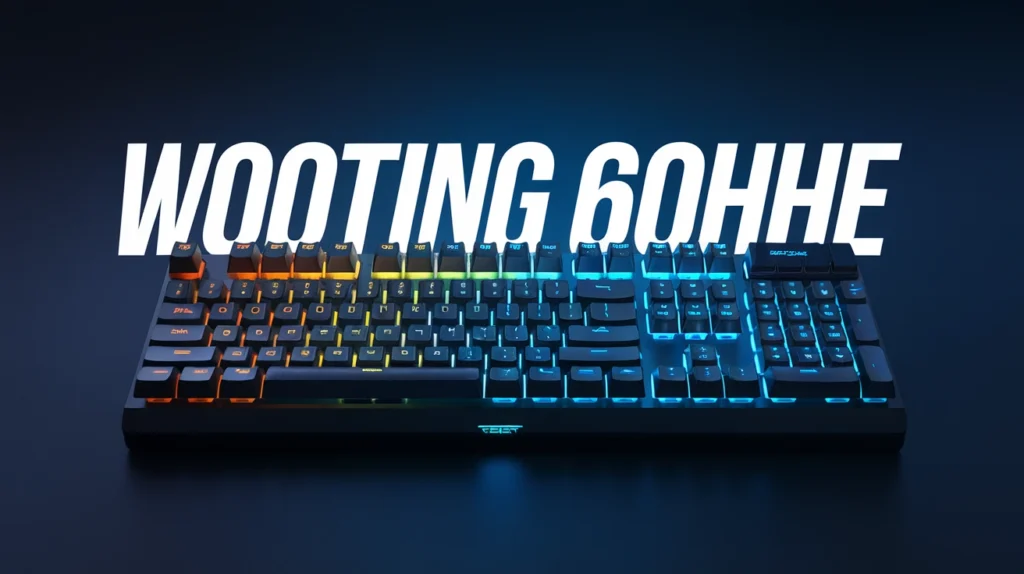
The Wooting 60HE is a compact, high‑performance 60% keyboard built for gamers who demand the lowest possible input latency and maximum control. With its analog Hall‑effect switches, adjustable actuation, and highly customizable software, it stands out as one of the most advanced gaming keyboards on the market.
In this article, we dive deep into what makes the Wooting 60HE a compelling choice — from technical details and real‑world performance to who should buy it and why.
What is Wooting 60HE? — Overview
The Wooting 60HE is a 60% layout mechanical keyboard that uses Hall effect “Lekker” switches instead of traditional mechanical contacts. Wooting 60HE Mechanical Keyboard+1
Key characteristics:
- Compact 60% layout — Only the essentials, allowing more desk space for mouse movement. Wooting 60HE Mechanical Keyboard+1
- Analog input with 4096‑step precision — Each keypress isn’t simply “on/off,” but can register the exact depth of press for nuanced control. Wooting 60HE Mechanical Keyboard+1
- Adjustable actuation point — Set how far you must press a key before it registers, from as little as 0.1 mm up to full travel (4.0 mm). Wooting 60HE Mechanical Keyboard+1
- Rapid Trigger support — Keys reset instantly, letting you spam inputs faster than standard mechanical keyboards. RTINGS.com+1
- Fully programmable — Use the vendor software (Wootility) to remap keys, create macros, adjust lighting, and save profiles. Wooting 60HE Mechanical Keyboard+1
In short: Wooting 60HE transforms a keyboard from a simple typing device into a fine‑tuned input tool — ideal for competitive gamers, creative professionals, and power users alike.
Why Analog Switches Matter — The Magic Behind the Keys
Most mechanical keyboards use switches that register a press only when a fixed travel depth is reached — a simple on/off binary. The “on/off” nature limits precision and speed.
The Wooting 60HE, however, uses magnetic Hall‑effect switches (the “Lekker” type), which sense movement through magnets rather than physical contacts. Wooting 60HE Mechanical Keyboard+1
What that means in practice
- True analog control: You can slowly press forward to walk, and press fully to sprint — just like a gamepad joystick. This is powerful in racing, flight, or platform games. TechPowerUp+1
- Hyperfine sensitivity: Analog resolution of 4096 steps means your input has near‑infinite granularity. It’s like shifting from a light switch to a dimmer — you control how softly or hard each key registers. Wooting 60HE Mechanical Keyboard+1
- Custom actuation: Want ultra‑fast keypresses? Lower the actuation to 0.1 mm. Prefer deliberate typing? Raise it closer to full travel. The choice is yours. Wooting 60HE Mechanical Keyboard+1
As one reviewer put it, with analog input the keyboard becomes “a mini joystick under your fingertips.” EC Music Buzz+1
Technical Breakdown: Specs & Features
Here’s a closer look at what Wooting 60HE offers under the hood. Wooting 60HE Mechanical Keyboard+1
AspectSpecificationLayout60% compact (293 × 103 × 30 mm) Wooting 60HE Mechanical KeyboardSwitch TypeLekker Hall‑effect analog switches Wooting 60HE Mechanical Keyboard+1Actuation Force~35 g ± 5 g Wooting 60HE Mechanical KeyboardTotal Travel4.0 mm Wooting 60HE Mechanical KeyboardActuation PointAdjustable 0.1 mm – 4.0 mm Wooting 60HE Mechanical Keyboard+1Analog Resolution4096 levels Wooting 60HE Mechanical Keyboard+1ConnectivityWired, USB‑C detachable (2 m cable) Wooting 60HE Mechanical KeyboardPolling Rate / Latency1000 Hz polling, input latency <1 ms possible RTINGS.com+1KeycapsDoubleshot PBT Wooting 60HE Mechanical Keyboard+1Onboard MemoryProfiles (4 or more, depending on firmware) Wooting 60HE Mechanical Keyboard+1RGB LightingPer‑key RGB, customizable via software Wooting 60HE Mechanical Keyboard+1Switch Lifespan100 million actuations Wooting 60HE Mechanical KeyboardForm FactorCompact, saves desk space for large mouse movements Tejar.pk+1
Real‑World Performance — Gaming, Typing & Daily Use
Gaming — Where 60HE Shines the Most
For competitive gaming, the Wooting 60HE delivers some serious advantages:
- Lowest input latency: When configured with minimal actuation and Rapid Trigger, keystrokes register extremely fast — often under 1 ms. That speed can translate into quicker movement, shot registration, or response timing in fast-paced shooters or action titles. RTINGS.com+1
- Analog control where it matters: In racing, flight, or platform games, you get gradual movement control via analog input. For example, your character can walk, walk faster, then sprint — all with realistic fluid transitions. TechPowerUp+1
- Rapid trigger advantage: For games that reward rapid, repeated inputs — like tap‑strafing in FPS games — keys reset instantly, allowing faster repeated presses than traditional mechanical keyboards. RTINGS.com+1
- Compact size = more mouse freedom: The 60% layout frees up desk space. Your mouse has more room — great for low‑sensitivity players needing big mouse sweeps. Alibaba+1
Many user reviews and pro‑settings sites note Wooting keyboards as a top pick for competitive players in titles like Valorant, Rainbow Six Siege, and other fast shooters. Wooting+1
A Reddit user who switched from a “normal mech” said:
“What you’ll most likely feel is just how fast you actually stop moving.” Reddit+1
In short: Wooting 60HE can offer a measurable edge for players who prioritize speed, precision, and fluid control.
Typing & Productivity — Mixed but Usable
The 60HE is not just for gaming. With its programmable layers, compact design, and high‑quality keycaps, it can be used for everyday typing or coding — though with caveats.
Strengths:
- Doubleshot PBT keycaps provide a nice, durable feel for typing. Wooting 60HE Mechanical Keyboard+1
- Adjustable actuation allows you to set deeper travel for more deliberate, accurate typing. Wooting 60HE Mechanical Keyboard+1
- Programmability makes it easy to map macros or custom shortcuts for development workflows. Tejar.pk+1
Limitations:
- 60% layout omits arrow keys, numpad, and function row — this may hinder productivity tasks for some users. Wooting 60HE Mechanical Keyboard+1
- Ergonomics are not ideal for long typing sessions: the board has a fixed incline, and a wrist rest is not included. RTINGS.com+1
- Because of the linear, low‑travel keys, some users may miss tactile feedback or “clickiness” when typing — especially if coming from tactile or clicky switches. As one user noted:
“I don’t like typing on the Wooting keys at all, even compared to some Cherry Reds.” Reddit
Therefore: Wooting 60HE can double as a daily typing/coding keyboard — but only if you accept its compact layout and slightly more “game‑oriented” feel.
Customization & Software — Tailor it to Your Playstyle
A major strength of the Wooting 60HE lies in its software and customization features, primarily via Wootility.
What You Can Do
- Remap any key. Turn any key into another key, a macro, or gamepad input. Wooting 60HE Mechanical Keyboard+1
- Create multiple profiles. Save different setups for different games or uses. NimbleTech+1
- Adjust actuation per key. Want fast WASD but deeper spacebar? You got it. Wooting 60HE Mechanical Keyboard+1
- Enable Rapid Trigger or Analog Mode. Switch between absolute analog control, ultra‑fast digital mode, or mix. RTINGS.com+1
- RGB lighting customization. Per‑key RGB, dynamic effects, and personal color profiles. Wooting 60HE Mechanical Keyboard+1
- Macro recording. Automate complex sequences for productivity or gaming. Wooting 60HE Mechanical Keyboard+1
This makes the keyboard extremely flexible — from competitive FPS to creative workflows.
Limitations & What to Watch Out For
No product is perfect. While Wooting 60HE adds a lot, it also has some shortcomings.
- Layout compromises: 60% means no arrow keys, no numpad. This may frustrate users who rely on those for work or games. help.wooting.io+1
- Ergonomics: Fixed incline and lack of wrist rest can cause strain during long typing sessions. RTINGS.com+1
- Key wobble: Some keys — especially larger ones with poor stabilizers — might feel less stable than premium custom keyboards. RTINGS.com+1
- Game compatibility (analog mode): Not all games support analog input via keyboard; some may have issues mixing keyboard + mouse + controller inputs. TechPowerUp+1
- Wrist rest and accessories sold separately: For extended sessions, you might need to buy additional accessories. RTINGS.com+1
Depending on your use case, these drawbacks may or may not matter.
Who Should — and Should Not — Buy Wooting 60HE
Ideal for:
- Competitive gamers playing FPS, shooters, racing, or action games. The low latency, analog control, and rapid trigger can translate into real in‑game advantages.
- Gamers who value mouse space and fluid movement — the 60% layout gives more room for large mouse movements.
- Power users or developers who prefer compact keyboards and heavily customized keymaps/macros.
- Enthusiasts wanting a “future‑proof” keyboard — the unique switch tech and programmability make 60HE a long‑term investment.
Less ideal for:
- People who rely on arrow keys, numpad, function row — for typing, data entry, editing, or productivity workflows.
- Typists or writers who prefer tactile or clicky feedback — linear Hall‑effect switches may feel too “soft” or “flat.”
- Users seeking ergonomic comfort for long typing sessions — 60HE’s high profile and lack of included wrist rest may lead to fatigue.
If you’re in a middle ground — some gaming, some work — it might make sense. But if productivity is your main purpose, a larger or more ergonomic board may suit better.
60HE vs Alternatives — Why It Stands Out
There are other mechanical and Hall‑effect keyboards out there, but a few things make the 60HE exceptional:
- Analog control + low latency: Few keyboards combine true analog input, adjustable actuation, and <1 ms latency.
- Compact size + full programmability: Many analog keyboards are full‑size; 60HE brings analog power in a small form factor.
- Highly customizable via software: With per-key actuation and profiles, it matches or exceeds the flexibility of many custom builds.
- Switch lifespan: The Lekker switches are rated for 100 million actuations — far more than most mechanical switches. Wooting 60HE Mechanical Keyboard+1
That said, other keyboards sacrifice size or analog capability in favor of ergonomics or full layouts (like full‑size keyboards or TKLs). If you want those, 60HE might not fit.
Some users note that newer keyboards — or upcoming models like Wooting 60HE v2 — may improve upon 60HE’s limitations with better stability, materials, and sound profile. Wooting+1
Real‑World Usage Examples and Scenarios
Here are a few concrete ways Wooting 60HE can improve gaming or work:
Example 1: Competitive FPS Player (e.g. Valorant)
You drop the actuation depth to 0.1 mm, enable Rapid Trigger, and map jump/duck macros for quick maneuvers. The result: your movements and shots happen the instant you press — shaving precious milliseconds off your reaction time. Many players report improved strafe‑shooting consistency and faster movement registration. Tejar.pk+1
Example 2: Racing or Flight Simulator Gamer
You map throttle/brake or joystick axes to W/A/S/D — utilize full analog input. Press halfway to accelerate slowly, press fully to floor it. Compared with digital “on/off” controls, analog mode gives you smoother control and better immersion. TechPowerUp+1
Example 3: Programmer / Developer on Tight Desk
Your number pad is unnecessary. The 60% layout gives you extra mouse space. You remap keys to common commands (build, run, commit), and set deeper actuation for typing — making coding sessions efficient and compact. Alibaba+1
These scenarios show how 60HE adapts to different needs — from high‑intensity gaming to productive workflows.
Real Feedback from Users & Reviewers
- According to a detailed review by a testing site, the Wooting 60HE offers “excellent build quality and remarkably low latency.” RTINGS.com+1
- However, the same review points out “mediocre ergonomics” and the lack of a wrist rest. RTINGS.com
- As one community user wrote:
“From a $40 shitty mechanical keyboard to the stock 60HE is literally a huge upgrade.” Reddit+1
- Another user — more focused on typing — said:
“I don’t like typing on the Wooting keys at all … I’ll swap them out when I’m gaming on the Wooting.” Reddit
So real-world opinions echo the technical strengths and the trade‑offs: great for gaming and control, but perhaps less ideal for heavy typing workloads.
Tips: Getting the Most from Your Wooting 60HE
If you buy Wooting 60HE, these tips can help you optimize your experience:
- Use Wootility to set actuation points per key. For example, shallow actuation for movement keys and deeper for typing keys.
- Enable Rapid Trigger only when needed. For casual typing, standard mode might avoid misclicks.
- Consider buying a wrist rest separately — especially if you type for hours.
- Use a large mouse pad to benefit from the freed-up desk space by 60% layout.
- Test analog mode in supported games first — some games handle controller‑style input better than others.
- Backup your profiles — once configured, save them so you don’t have to re‑configure after reinstalling OS or software.
What’s Next: Wooting 60HE v2 & the Future of Analog Keyboards
The company recently announced the upcoming Wooting 60HE v2, expected to launch soon. Promised upgrades:
- True 8 kHz polling (even lower latency) Wooting+1
- New closed‑bottom “Lekker Tikken” switches with improved sound and stability Wooting+1
- Aluminum case (more premium feel) and split‑spacebar variants for ergonomic flexibility The Verge+1
- Improved typing experience — less wobble, better acoustics, and overall sturdier build. The Verge+1
If these material and stability improvements reach the level of high‑end custom keyboards, analog keyboards might become mainstream even beyond the gaming niche.
For now, Wooting 60HE remains a strong “end‑game” keyboard — especially for those who prize responsiveness and custom control over traditional mechanical feedback.
Conclusion
The Wooting 60HE is not just another compact keyboard — it’s a leap in how we interact with games and software. By turning each key into an analog input, giving users full control over actuation, and offering ultra‑low latency, it empowers serious gamers and power users to squeeze out performance and precision few other keyboards can match.
If you want a keyboard that puts speed, control, and customization above all else — whether for competitive shooters, racing sims, or compact productivity rigs — the Wooting 60HE deserves your serious consideration. As analog keyboards evolve further (with versions like Wooting 60HE v2), this could be the new standard for what “pro‑level” keyboard means.
FAQS
Q: What is Wooting 60HE and how does it differ from a standard mechanical keyboard? A: Wooting 60HE uses magnetic Hall‑effect “Lekker” switches instead of traditional mechanical contacts. That lets each keystroke register how deep you press, enabling analog input rather than binary on/off. You also get adjustable actuation points, rapid‑trigger capability, and much finer control — features standard mechanical boards don’t offer.
Q: Is Wooting 60HE good for typing or programming? A: It can be used for typing or coding, but it’s less ideal than a full‑size or ergonomic board. The 60% layout omits arrow keys, numpad, and function row, which can hamper productivity. However, with deeper actuation settings and remapped layers, many developers manage fine — especially if they value desk space and mouse freedom.
Q: Do all games benefit from the analog input feature of Wooting 60HE? A: No — analog input works best in games that support controller-style analog input (like racing, flight, or platform games). Traditional shooters or games without analog support will still treat input as on/off, so though latency and responsiveness remain excellent, you won’t benefit from the analog feature.
Q: Does Wooting 60HE require special maintenance? A: Not really. The hall‑effect switches are rated for 100 million actuations and are contactless — so they are less prone to wear than mechanical contacts. Still, since there’s no wrist rest included and the board has a fixed incline, you might want to add a wrist rest if you type for long sessions.
Q: Should I wait for Wooting 60HE v2, or buy the current 60HE now? A: If you want the best-in-class latency, analog control, and don’t mind slightly lighter build and some key wobble, the current 60HE is already top‑tier. But if you want improved stability, better sound, and a more premium feel, waiting for the upcoming 60HE v2 could be worth it — especially if budget isn’t a concern.

