

Whoer Net is one of the most talked-about online privacy tools today, especially among users who want quick insights into their digital fingerprint. In a time when cyber threats continue to grow, people want fast solutions that reveal how exposed they are online. That is exactly what this tool offers. It shows your IP, DNS, WebRTC leaks, and several privacy indicators within seconds. However, many users still don’t understand how it works or how to use it effectively.
In this detailed guide, you’ll learn everything you need about Whoer Net, how it protects your privacy, and why more users are turning to online anonymity tools. You’ll also discover practical tips, expert insights, and real-world scenarios to help you stay safer on the internet. Think of this article as a complete privacy roadmap that helps you make smart decisions without technical confusion.
What Is Whoer Net?
Whoer Net is an online privacy and security tool that checks the information your device reveals while browsing. It analyzes your IP address, browser fingerprint, DNS status, system details, and potential leaks. It gives you a privacy score that reflects how exposed or protected your online identity is.
Key Highlights of Whoer Net
- Quick IP lookup
- DNS and WebRTC leak detection
- Proxy and VPN check
- Browser fingerprint analysis
- Privacy scoring
- Free and premium features
The platform helps everyday users understand how websites track them. These checks are crucial because many people don’t realize how much data their browser shares automatically.
Why People Use Whoer Net in 2025
Online privacy has become a major concern worldwide. According to cybersecurity analysts, data tracking is now more aggressive than ever. Websites record your browsing habits, device type, approximate location, and even behavior patterns.
Main Reasons Users Prefer Whoer Net
- Fast and easy privacy check The tool loads quickly and displays clear results, which helps even non-technical users.
- Accurate leak detection It identifies WebRTC, DNS, and proxy leaks that can reveal your real identity.
- Helpful for VPN users Many people use it to confirm whether their VPN is working correctly.
- Useful for testing anonymity levels It provides a score that helps users understand how secure their connection is.
- Free to use Most features are available without a subscription.
In short, Whoer Net is like a digital mirror. It shows you what your device looks like to the internet. This simple experience makes it popular among everyday users, freelancers, gamers, and travelers.
How Whoer Net Works A Simple Breakdown

While the tool performs advanced checks, its process is easy to understand. It collects publicly available information from your browser and displays it in one place. Websites normally see this same information, but this time you see it too.
What Information It Checks
IP Address
Your IP reveals your approximate location and the network you’re using. This is often the most sensitive piece of data.
DNS Server
Some sites can expose your actual DNS, revealing your internet provider. This can lead to privacy leaks even when using a VPN.
WebRTC Status
Browser Fingerprint
WebRTC is used for video and voice calls. If not protected, it can leak your true IP.
Your device sends information such as:
- Operating system
- Browser version
- Screen resolution
- Installed plugins
- Time zone
Each of these may seem harmless, but together they make a unique fingerprint.
5. Proxy or VPN Detection
It checks if:
- You’re using a VPN
- The VPN is leaking
- Your proxy is configured correctly
This step matters for journalists, remote workers, and anyone using restricted networks.
Features of Whoer Net

IP Checker
This is the first section you see. It shows:
- Your IP address
- Country and city
- ISP
- VPN or proxy status
This helps users understand how websites see them.
Anonymity Score
Whoer Net provides a percentage score. A higher score means better privacy. A lower score indicates potential leaks or tracking elements.
Scores are divided like this:
- 90–100% = Very good privacy
- 70–89% = Moderate privacy
- 40–69% = Weak privacy
- Below 40% = High risk
DNS Leak Test
This feature checks if your DNS queries are visible. When DNS leaks occur, your internet provider can see your browsing activity even if you use a VPN.
WebRTC Leak Test
This checks whether your real IP leaks during peer-to-peer communication. It’s one of the most common leaks.
Browser Fingerprint Analysis
Whoer Net analyzes dozens of browser attributes. It then calculates how unique your device appears compared to others.
Speed Test
It includes an optional internet speed test. This is useful for VPN users who want to see performance differences.
Benefits of Using Whoer Net
Improve Your Online Privacy
You gain insights into what websites can see and adjust your settings to become less exposed.
Confirm VPN or Proxy Performance
It helps users ensure their connection is secure and private.
Reduce Tracking
By identifying your browser fingerprint, you can reduce tracking with privacy tools.
Stay Anonymous
This tool helps people who want anonymity for personal or safety reasons.
Stay Informed
Knowledge is power. When you understand digital fingerprints, you can browse more responsibly.
Who Should Use Whoer Net?
Regular Internet Users
Anyone who uses the internet daily can benefit from a quick privacy check.
VPN Users
It verifies whether your VPN hides your IP effectively.
Freelancers and Remote Workers
Many remote jobs require secure browsing due to sensitive data.
Students and Travelers
People using public WiFi can ensure their connection is safe.
Researchers, Journalists, and Bloggers
These users often require higher levels of anonymity.
How to Use Whoer Net
Using the tool is simple. You don’t need to create an account or install software.
Visit the website
Open the tool in your browser.
Wait for the analysis
The page loads your details instantly.
Review your IP
Check whether your IP is correct or hidden (if using a VPN).
Check anonymity score
Look for red or yellow warnings.
Test for leaks
Run DNS and WebRTC tests to confirm privacy.
Improve settings
Adjust browser or VPN settings to fix weak points.
This simple process helps you stay informed about your digital exposure.
Real-World Example of Using Whoer Net
Imagine you are working remotely from a café. You want to know whether your VPN is protecting you. You run a quick test:
- Your IP appears hidden
- DNS servers show a leak
- Your anonymity score drops to 72%
This tells you that your VPN isn’t fully protecting your data. Without this tool, you might think your connection is secure when it’s not. This example shows how vital such tests are for privacy-focused users.
Common Issues Whoer Net Helps You Detect
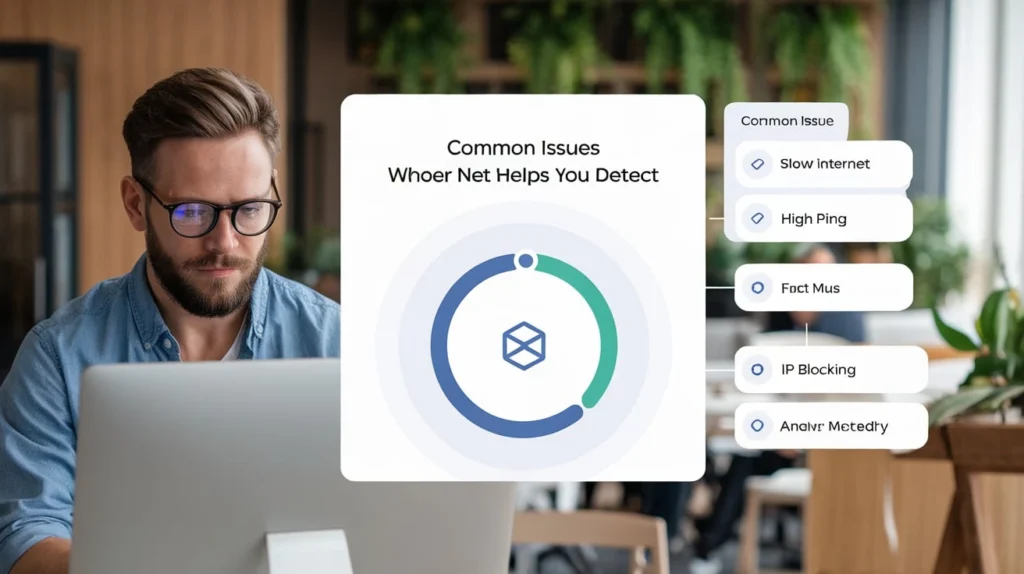
VPN Leaks
Sometimes VPNs fail quietly. This tool exposes them.
Unprotected WebRTC
Many browsers leak IPs through WebRTC.
Fingerprinting Exposure
It shows how unique your device is, which helps you reduce tracking.
Incorrect Proxy Configuration
Your IP may still leak if the proxy is misconfigured.
ISP DNS Exposure
Even behind a VPN, DNS leaks reveal your browsing activity.
Tips to Improve Your Whoer Net Score
Use a Trusted VPN
Many free VPNs leak data. Premium services protect you better.
Block WebRTC
Use browser extensions to disable WebRTC leaks.
Install a Privacy-Friendly Browser
Brave, Firefox, and Tor offer better privacy than regular browsers.
Use DNS Encryption
Tools like DNS over HTTPS (DoH) prevent DNS leaks.
Limit Browser Plugins
Fewer plugins mean fewer fingerprinting opportunities.
Change User Agent Periodically
This reduces unique fingerprints.
Whoer Net vs Other Privacy Tools
Here is a comparison to help you choose what fits your needs.
FeatureWhoer NetBrowserLeaksIPLeakipleak.netIP CheckYesYesYesYesDNS TestYesYesYesYesWebRTC TestYesYesLimitedYesFingerprintStrongVery StrongBasicBasicAnonymity ScoreYesNoNoNoEase of UseHighMediumHighHigh
Whoer Net stands out because it gives a complete, user-friendly summary with a privacy score.
Safety and Accuracy Can You Trust Whoer Net?
Yes, the tool is safe to use. It does not install software or collect sensitive information. It only displays what your browser already reveals. Cybersecurity experts confirm that such checks help users stay aware of online threats.
Moreover, the tool focuses on transparency. According to several privacy researchers, tools like Whoer Net are essential for regular users who want to understand their vulnerability.
Case Study Remote Employee Using Whoer Net
A digital marketer named Ayesha worked from multiple locations. She used a VPN for privacy. However, her ad accounts were getting flagged. She checked her connection on Whoer Net and discovered:
- Her WebRTC was leaking
- Her DNS was exposed
- Her IP location changed too frequently
After fixing these issues using the tool’s insights, her accounts stabilized. This shows how a simple test can prevent major problems in real-world professional environments.
FAQs
What is Whoer Net used for?
Whoer Net is used to check your IP address, privacy score, DNS leaks, WebRTC exposure, and browser fingerprint. It helps you understand how websites see your device and whether you’re protected online.
Is Whoer Net safe to use?
Yes, it is safe. It does not install software or collect personal information. It only displays public data your browser already shares.
Does Whoer Net work with VPNs?
Yes. Many people use it to check if their VPN hides their IP correctly and prevents leaks.
Does Whoer Net detect proxy usage?
It checks for proxy or VPN usage and shows whether your real IP is hidden or exposed.
Is Whoer Net free?
Most features are free. Some advanced tools may require a premium upgrade.
Conclusion
Whoer Net is a powerful and easy-to-use privacy tool that helps you understand your online exposure. It checks your IP, DNS, WebRTC, and browser fingerprint to give you a clear picture of your anonymity. In a digital world where tracking is everywhere, these insights help you browse more safely. Whether you are a regular user, a remote worker, or a privacy-focused professional, Whoer Net gives you the clarity you need.

